KNOCK SENSOR HARNESS INSTALL 944TIn the following instruction, we are installing a Replacement Knock Sensor Harness into the 944 Turbo. This factory wiring harness happens to be out of the car. Many of you would be installing this injector harness with the factory wiring harness still in the car. All steps would be the same. You just do your work under the hood, and under the dash. It is not necessary to remove the factory harness and we advise against it unless you're pulling the engine at the same time.If you need help finding the KLR, and need help locating the connector, refer to the DME & KLR Chip Install. instructions. This will show you where they are and how to access them. Step #1 "Position & Placement of Harness"Lay out and position the knock harness lead so that the overall length is the same as the factory harness so that it reaches the knock sensor comfortably. (In this picture, we are showing the injector harness and knock sensor harness.) 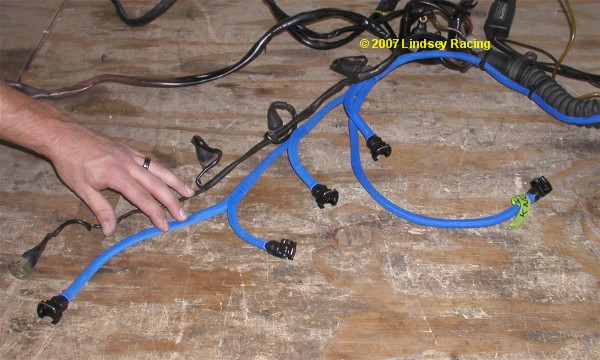 Step #2" Through the Firewall"You will need to pass the new knock sensor through the firewall into the car. A good location to do this is through the large rubber firewall boot/seal. You can poke a hole through it with a small Phillips screwdriver, then use a knife to make a "+" type cut. Just large enough to allow you to push the wires through. It may work better to pull the wires through by taping onto a coat hanger wire or screwdriver from the foot well side of the boot. 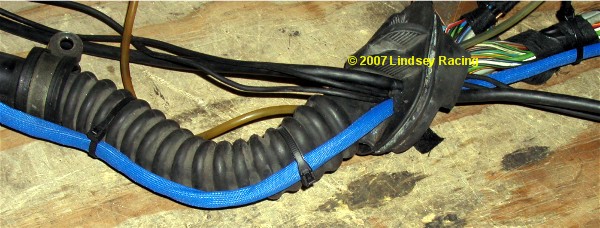 Step #3 "KLR Plug"The KLR plug is very similar to the DME plug. Remove the small Phillips screw shown here. Peel back or roll back the rubber boot. 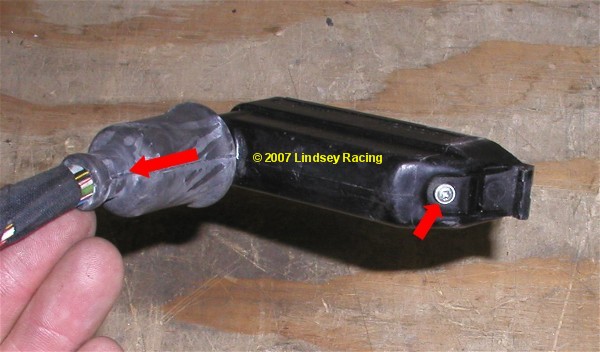 Step #4 "Remove Rubber Seal"Remove the rubber seal or gasket. A small screwdriver or pick works good to hook and pull on it. 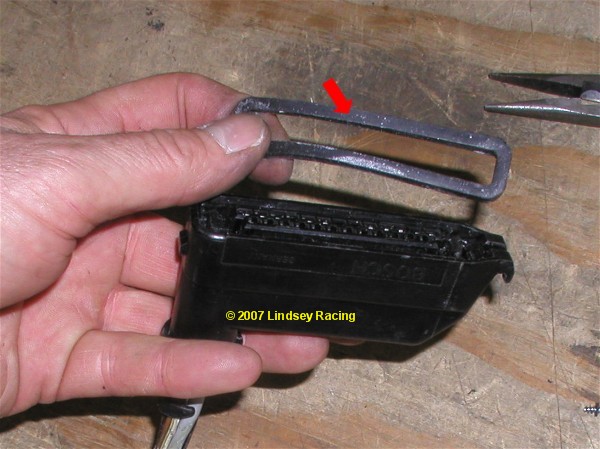 Step #5 "Pulling Pin Holder"The end opposite the small screw has a hook or shoulder in the plug not allowing you to pull it straight out. Pull on the small screw end and it will tilt and swing out. 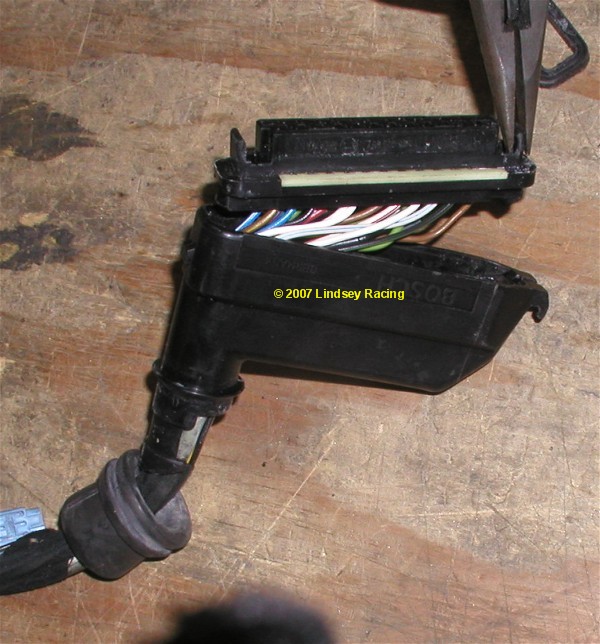 Step #6 "Identify Pins"You can see the pin numbers running along the edge of the plug shown between these red arrows. 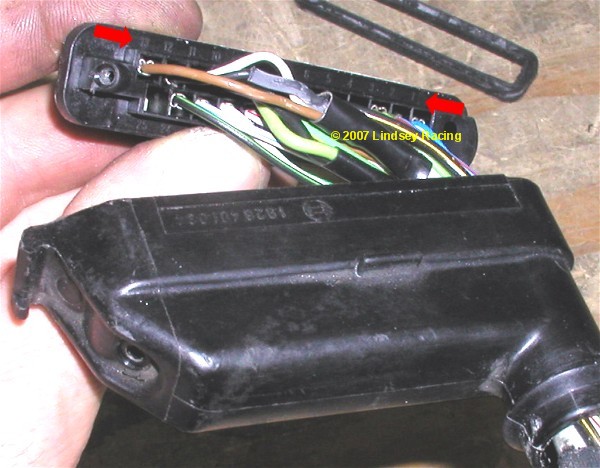 Step #7 "Remove Pin Retaining Rail.Simply pull the pin retaining rail out. 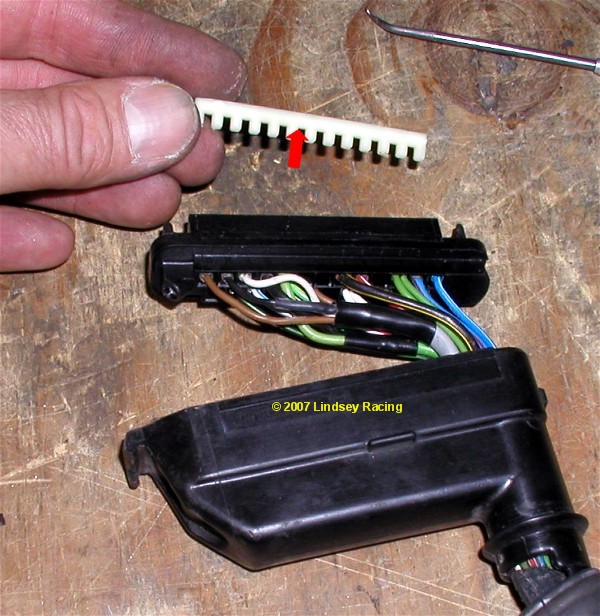 Step #8 "Remove Old Knock Sensor Wires"We need to remove the old knock sensor wires from the KLR plug for pin numbers 11, 12 and 13. 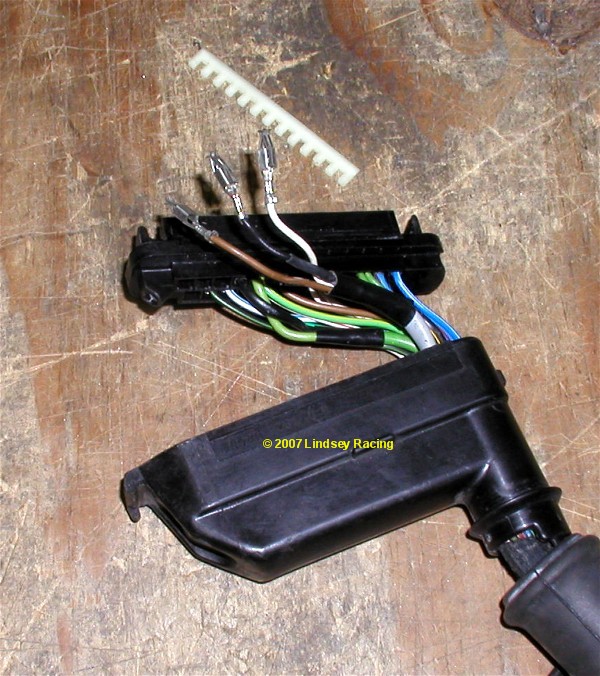 Step #9 "Cut Wires"Here you see us cut the gray cable that contains those three wires you just un-plugged from the KLR plug. We do this because it gets a little crowded trying to fish new wires into the plug without removing the old first. 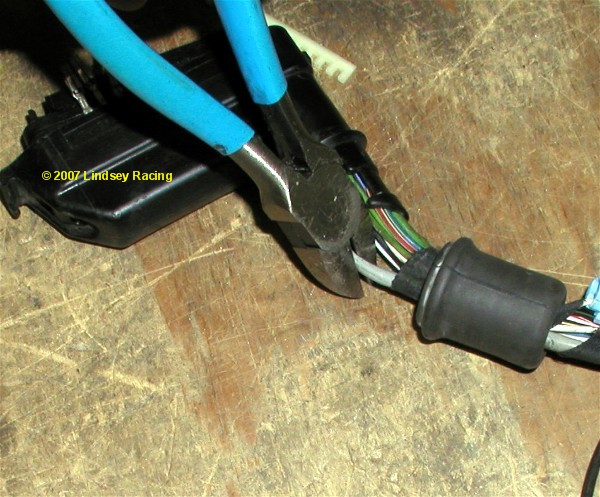 Step #10 "Install New Wires"Like with the DME plug, fish the wires through the rubber boot and into the plug. Install the new wires into the KLR connector as follows. Make sure once again that you have the terminal orientated correctly so that the spring tab locks or snaps into place Pin 11 = Black Covered Wire Pin 12 = Bare Ground Wires Pin 13 = Clear Covered Wire 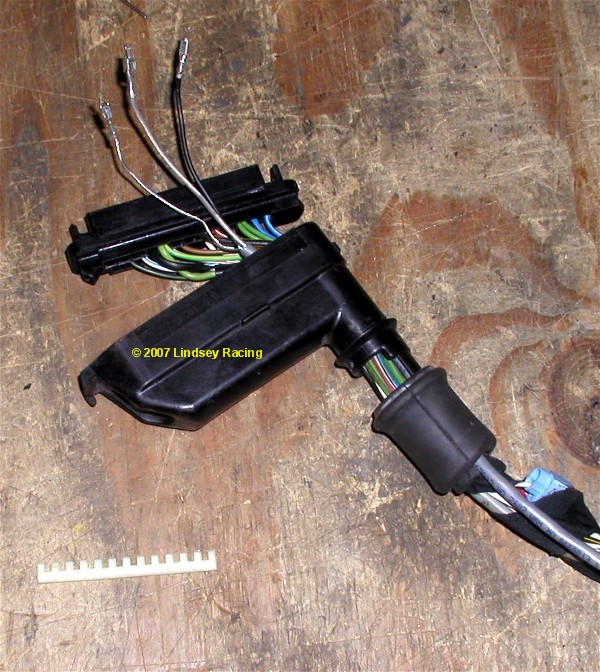 Step #11 "Complete KLR Plug"Re-install the terminal pin retaining rail. Then re-install the terminal holder into the plug housing. You need to install the end opposite the small screw first, then rotate the other end down and in. There is a tap that the terminal holder goes underneath. If it's not correct, then the terminal holder will not fully seat and it will not be parallel to the plug housing surface. Re-install the small Phillips screws. 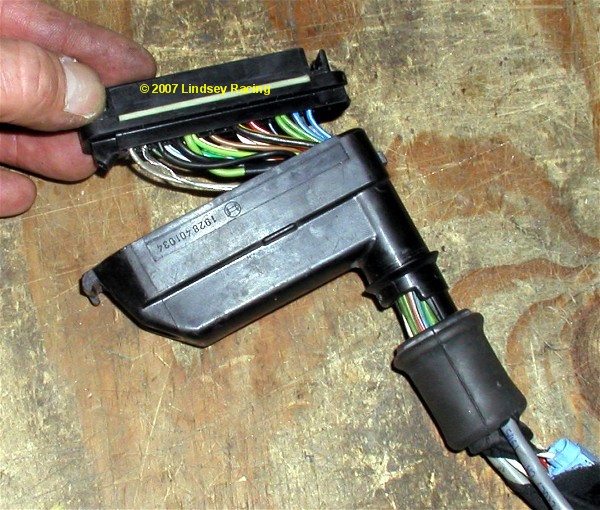
|

Secure Checkout