CRANK SENSOR HARNESS INSTALL 944TIn the following instruction, we are installing a Crankshaft Reference Sensor Harness into the 944 Turbo harness. The 944 would be performed the same way.This factory wiring harness happens to be out of the car. Many of you would be installing this reference sensor harness with the factory wiring harness still in the car. All steps would be the same. You just do your work under the hood, and under the dash. It is not necessary to remove the factory harness and we advise against it unless you're pulling the engine at the same time. If you need help finding the DME and KLR, and need help locating connectors, refer to the DME & KLR Chip Install instructions. This will show you where they are and how to access them. Step #1 "Position & Placement of Harness"Lay out and position the new Reference Sensor Harness so that the plugs are in the same location or length from the main harness as the old plugs. 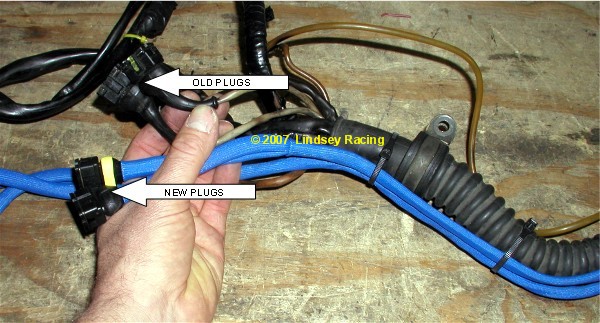 Step #2"Through the Firewall"You will need to pass the new Reference Sensor Harness through the firewall into the car. A good location to do this is through the large rubber firewall boot/seal. You can poke a hole through it with a small Phillips screwdriver, then use a knife to make a "+" type cut. Just large enough to allow you to push the wires through. It may work better to pull the wires through by taping onto a coat hanger wire or screwdriver from the foot well side of the boot then pulling them through. This harness pictured already had our Fuel Injector Harness installed which is why you see two new harnesses. 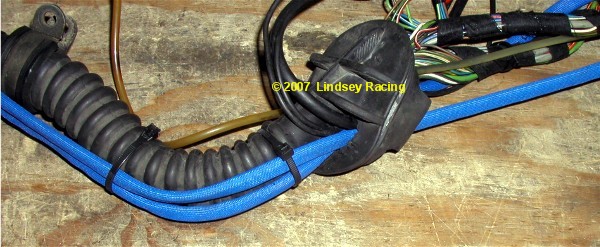 Step #3 "Disassemble DME Plug"Remove the small straight blade screw on the end of the DME plug. Roll back or slide the Rubber Boot on the opposite end. 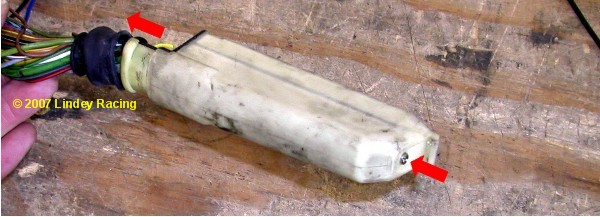 Step #4 "Slide DME Connector Cover Off"Just like it says. Slide the cover off as shown. 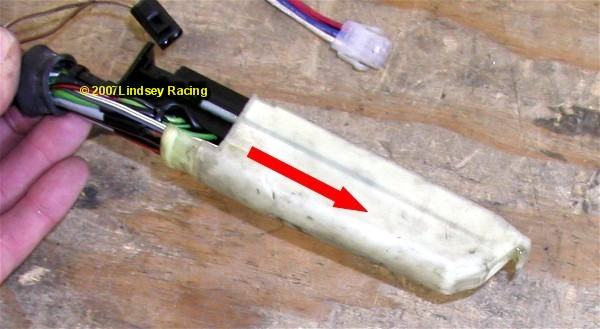 Step #5"Locate DME Pin Numbers"The DME pin numbers are located down both sides of the DME plug. On this side you see the numbers 1 thru 18, on the other side is 19 thru 36. We will be working with wires at pin numbers 5, 8, 25, 26, 27 and 23. 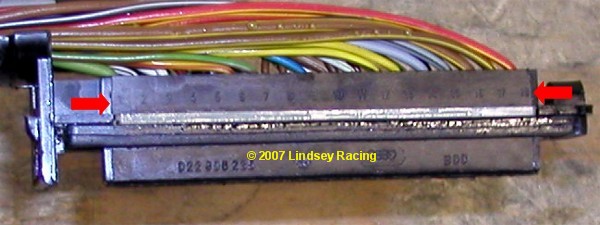 Step #6 "Remove Pin Retaining Rail"Simply remove this light green colored pin retaining rail from both sides of the plug. This keeps the pins locked into place. Without removing this, you cannot remove the original wires which is the next step. 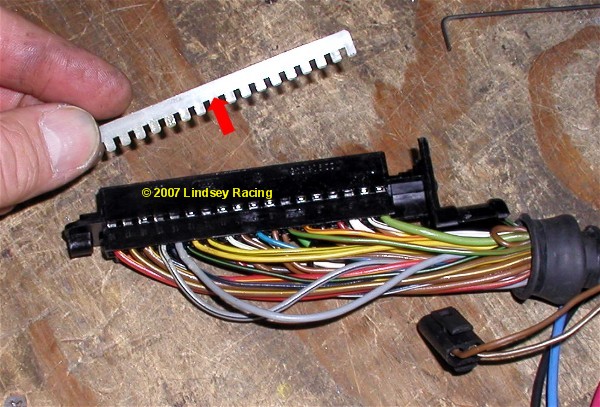 Step #7 "Remove Wires Pin #'s 5, 8, 25, 26 and 27.If you study the new wire terminals on the Reference Sensor Harness, you will notice a small tang or tab that springs out of the side of the terminal that works like a fish hook. This must be depressed in order to remove the old pin/wire from the DME plug. There is a small square area or access point on the side of the terminal pin. If you slide a small object down this hole such as a small Allen wrench, small screwdriver (like the one you get in a eye glass repair kit) or even a heavy paper clip, you can depress this tab. Once depressed, you can simply pull the wire out from the other side. This is the hardest part of the job. They can be a little stubborn. You might try pushing the wire in tight, at the same time your trying to depress the tab. Then pull on the wire. Once you get the first one out, the second will probably take you seconds. There is actually a tool for this, but most people have something around the house or tool box that will work. Remove pin/wires from slots #5, 8, 25, 26 & 27. 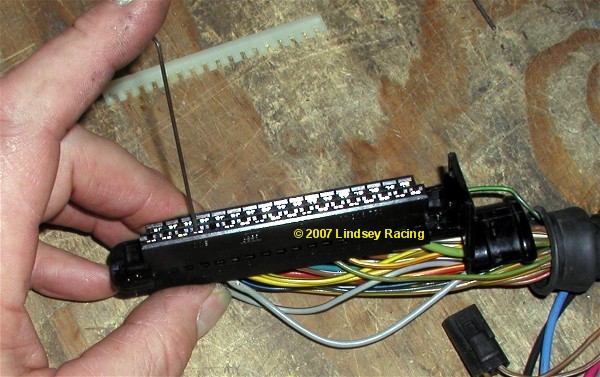 Step #8 "Clip Brown Ground Wire"On DME pin #5, there are two wires attached to the original terminal. A ground wire (black) for the old reference sensor, and a chassis ground wire (brown). We need to cut the brown wire just after the terminal as shown here. 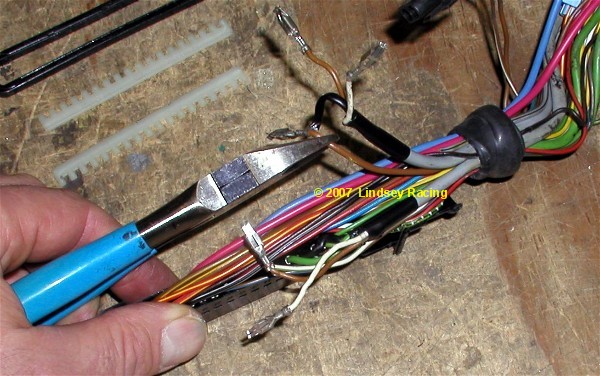 Step #9 "Clip Black Ground Wire"The ground wire on the second or other old reference sensor wire (black) ties into pin #23 along with a ground from the O2 sensor (also black). We need to cut the black wire which is the reference sensor ground wire loose from the other black wire. We leave the pin #23 in the DME plug with the 02 sensor ground remaining, and just cut the black wire as shown from the reference sensor wire. Our new reference sensor grounds will be attached at another location. 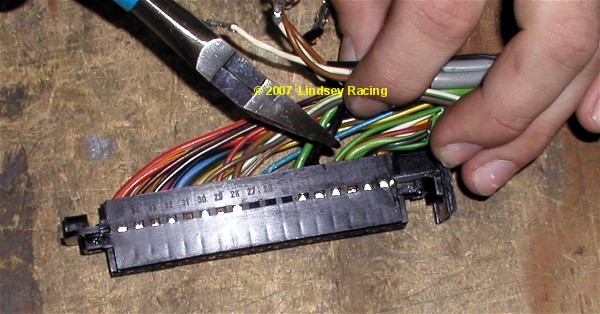 Step #10 "Finishing Up the Connections"There are a few things going on here. The new Reference Sensor Harness wires were fished through the rubber grommet. We spread the grommet with a pair of needle nose pliers making a passage way to slip the wires through. The old reference sensor wires were clipped off a few inches from the plug. There isn't room for the old and new in the plug so they must go. The brown ground wire we clipped in step #8 has been stripped bare on the end preparing it for soldering. 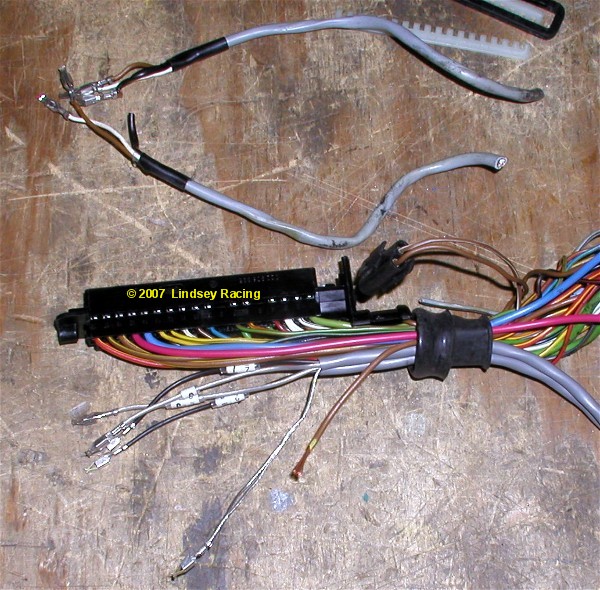 Step #11 "Solder Ground to Grounds."We need to attach the brown ground wire to the bare ground wires on the new harness. Here you see the solder connection done. It is not necessary to tape this connection. Insert the new terminals into their assigned slots. The wires on the new harness are tagged with the assigned DME pin numbers. 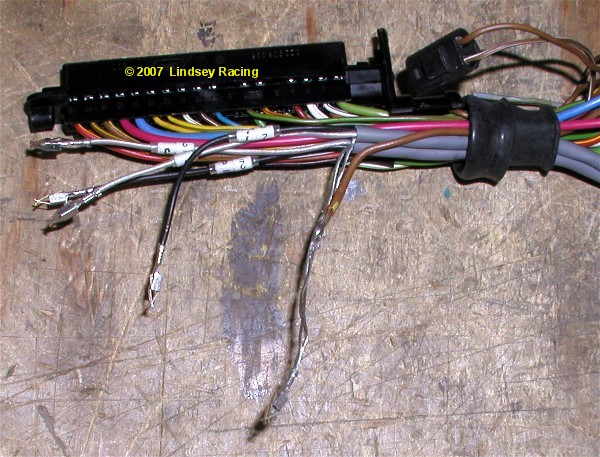 Step #9 "Close Connector Up"Re-install the Pin Retaining Rail you removed in step 6. Slide the DME connector cover back into place. Re-install the small end screw. Slide or roll the rubber boot back into place. The DME Connector is now complete. 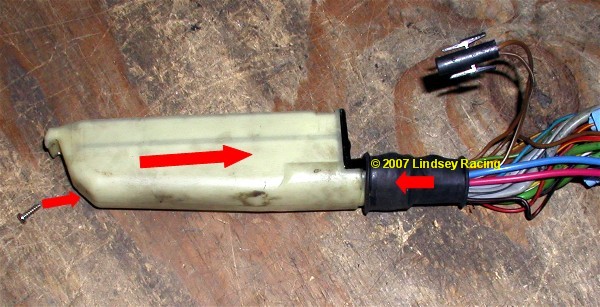 |

Secure Checkout